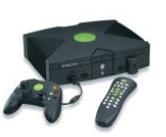
To softmod your Xbox, you will need 1 of 3 games:
-Mechassault OR
-Splinter Cell-Stealth Action Redefined OR
-007 Agent Under Fire
It is easiest to use Splinter Cell to mod your Xbox. This Is how:
1. Download the pre-patched modded gamesave at the bottom of the page for Splinter Cell
2. Get a cable that allows you to connect an xbox controller to your PC through USB(Look on eBay)
3. Download Action Replay at the bottom of the page in the .zip file if you don't have it already.(Only for Windows) and install it.
4. Connect your Xbox controller to your computer with a memory card in it.
5. Open Action Replay.
6. Drag the gamesave you need to the memory card on the left. Also drag SID4.NK.Launcher
7. Plug controller into Xbox and turn it on.
8. Go to your memory card and copy the gamesave from your memory card to your hard drive.
9. Unplug Memory Card.
10. Put in Splinter Cell.
11. Go to Start Game, click LINUX, and you wont see any check points, but still press A at Check Points twice. Then the installer should load up.
-------------------------------------------------------------------
Mechassault
Go to Campaign, click Run Linux and that should load the installer. Mechassualt is known to be harder to get the installer loading since it requires a certain edition. Please be sure that when you have 'Run Linux' highlighted, the files description is as follows:Controls: Normal
Difficulty: Regular
Current Level: Going Down Hard
If that does not show up, then you will have to get a different version or get Splinter Cell or 007.
------------------------------------------------------------------------------------------------------
007
Go to Load Mission, then select the Xbox Hard Disk option and that should load the installer.
---------------------------------------------------------------------
Then You:
1. Create MS Backup
2. Create EEPROM Backup, Then click Create EEPROM backup again in the new menu, then when it's done click Back to Main Menu
3. Click Install Softmod
4. Click Dual Boot for NTSC(US) or PAL(JAPAN)
5. Click Knaves Indure, Open=Retail
6. Choose UnleashX if you are new to this, and if you want some better graphics.
7. Three messages will pop up. After reading and understanding each, Press A. On the 3rd message, you will get this message: "All requirements pass. Continue Install?" Click Yes.
8. After the installation is complete, you will get this message:
"Softmod successfully installed, your virtual eeprom must be patched, after eeprom, now you'll boot to installer"That sentence did not make sense to me, so just press OK. Now a new message pops up:
"The installer will now boot to patching system after it is completed, please turn off Xbox and power back on without game disc to finish install."
Click YES.
9. Press eject and take out your disc and then close the tray. Turn it off. Once off, turn it back on by pressing the power button. When it boots up, UnleashX will appear with a "Softmod Successful" message. It says that it needs 1 more step to finish the install. PRESS A.
10. It should restart and boot to a new dashboard.
!!!-If it goes to your regular Xbox dashboard, and asks to set the time and date, SET IT. Otherwise, everytime the Xbox turns on it will go to this screen.

|
ActionReplayXbox_1_40.zip Size : 4056 Kb Type : zip |
Do NOT UNZIP FILES BELOW THIS LINE!!! THEY ARE READY TO BE PLACED ON THE MEMORY CARD!!!
You Need: "SID4.NK.Launcher.zip" and "SID4.NK.Loader.(The game you're using).zip". Put both of these on the Memory Card.
|
|
SID4.NK.Launcher.zip Size : 4423 Kb Type : zip |
|
|
SID4.NK.Loader.007AUF.zip Size : 18 Kb Type : zip |
|
|
SID4.NK.Loader.Mechassault.zip Size : 15 Kb Type : zip |
|
|
SID4.NK.Loader.SplinterCell.NTSC.zip Size : 10 Kb Type : zip |
|
|
SID4.NK.Loader.SplinterCell.PAL.zip Size : 11 Kb Type : zip |